Features
Volunteer Management Software Built for Every Step of the Service Journey
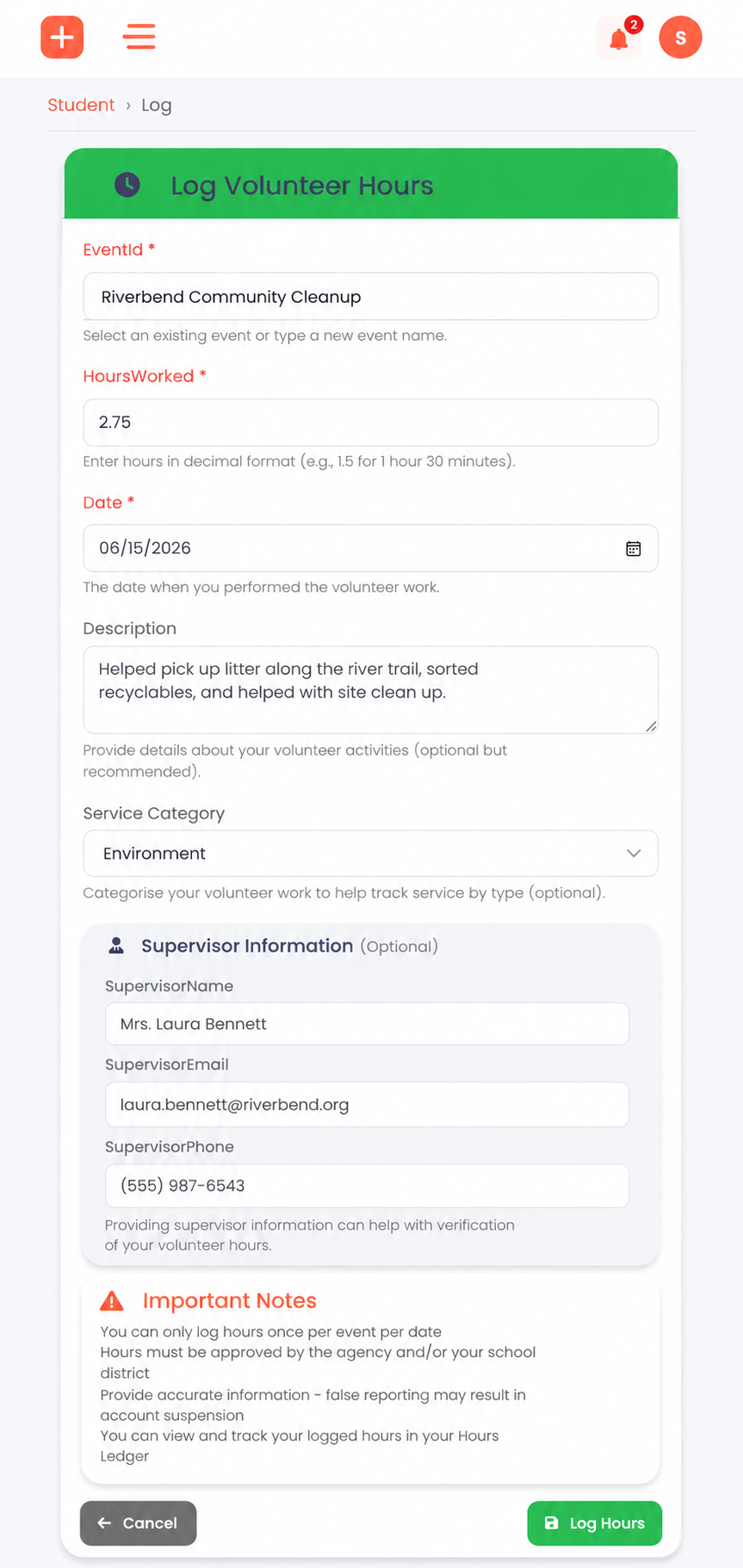
Log hours in seconds — manually or by QR
Students log hours against specific events, entering date, hours, description, and supervisor contact. Or scan a QR code on-site and skip the form entirely.
- Manual entry from any device, any browser
- QR scan for instant, frictionless check-in
- Per-event hour minimums and maximums enforced automatically
- Duplicate submission protection built in
Two-stage approval. Zero ambiguity.
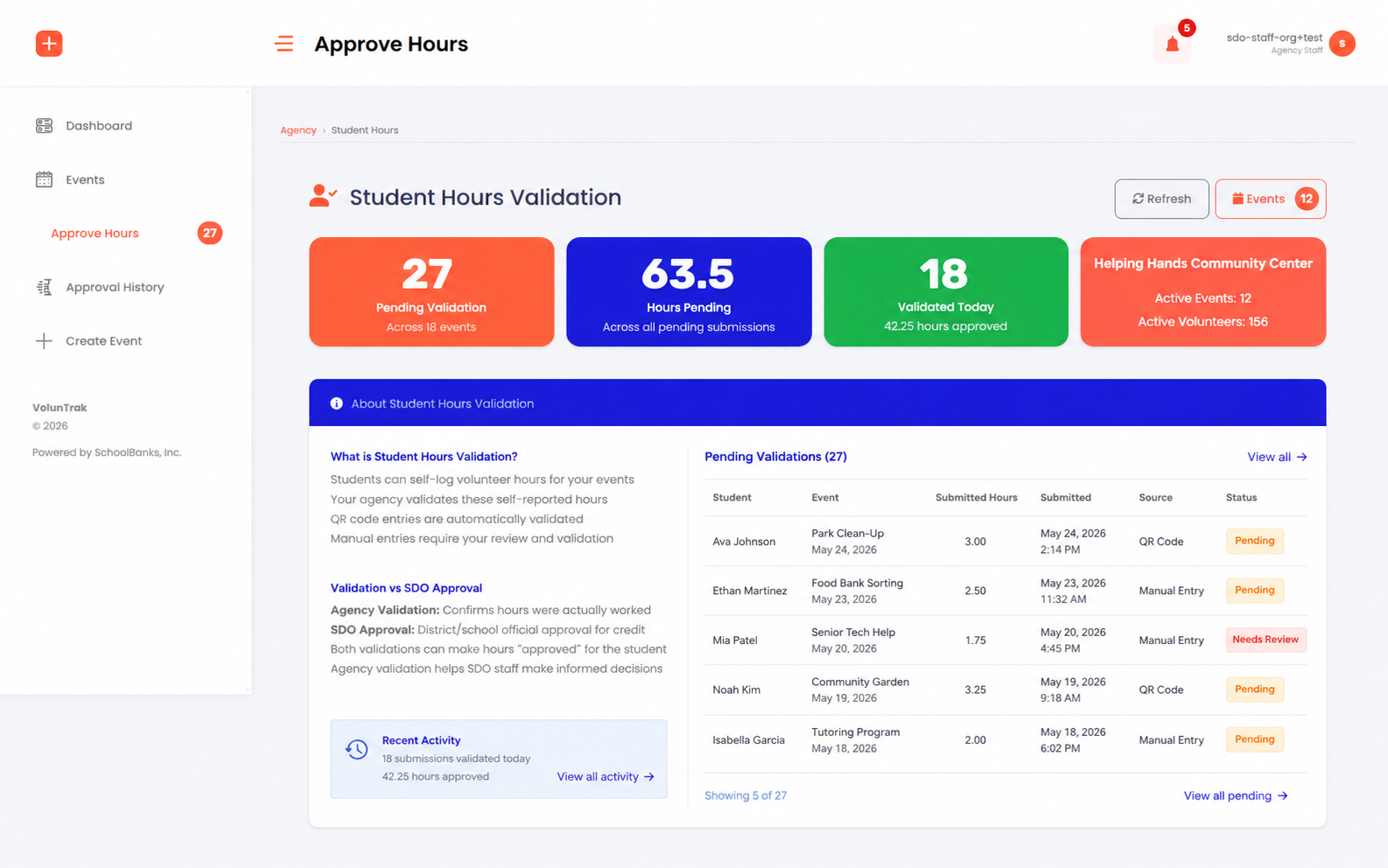
After a student submits hours, the partnering agency validates first — confirming the student actually served. Then the school district gives final approval. Both parties work from their own queue.
- Agency validation → district approval, in sequence
- Bulk approve or deny for high-volume queues
- Rejected entries can be corrected and resubmitted
- Status visible to students in real time — no chasing
Zero-friction check-in at every event
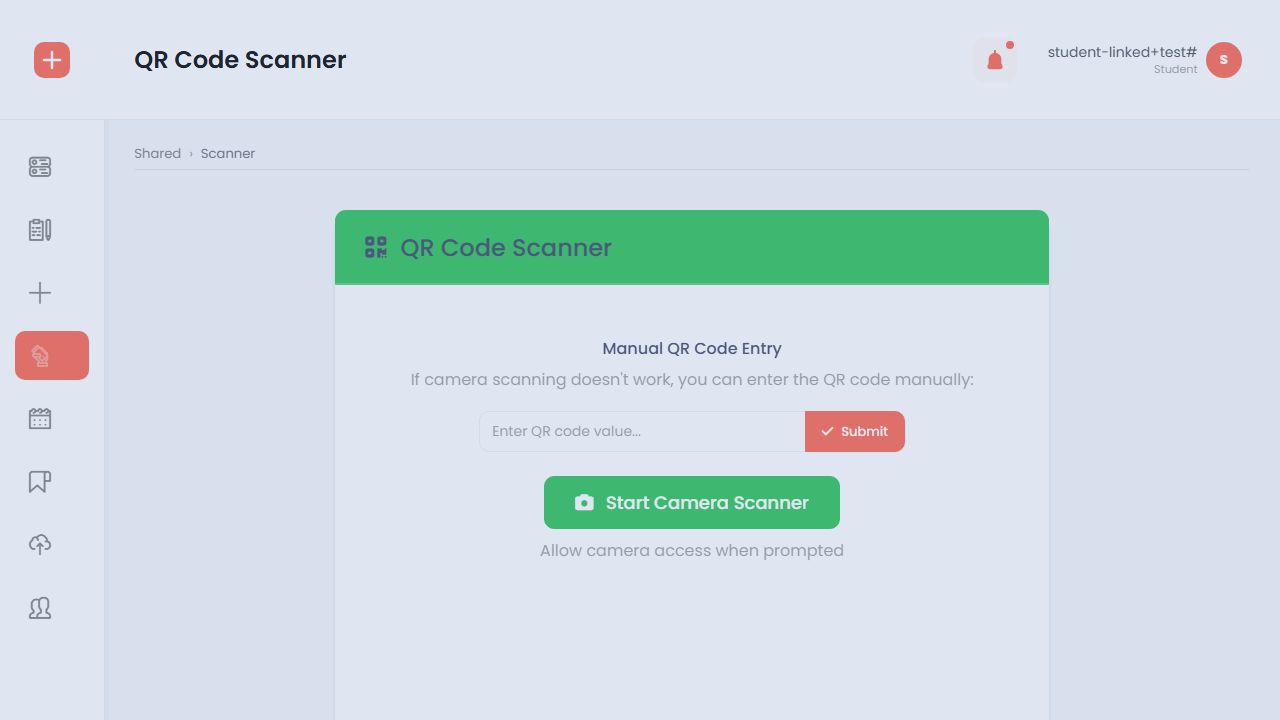
Agency staff generate a QR code for any event. Students scan on arrival and hours are logged automatically with a timestamp. No sign-in sheets. No data entry after the fact.
- Reusable org-displayed codes (1-hour expiry)
- Single-use student-presented codes (15-minute expiry)
- Every scan logged and time-stamped automatically
- Staff can log hours directly on behalf of a student
From service ledger to college application
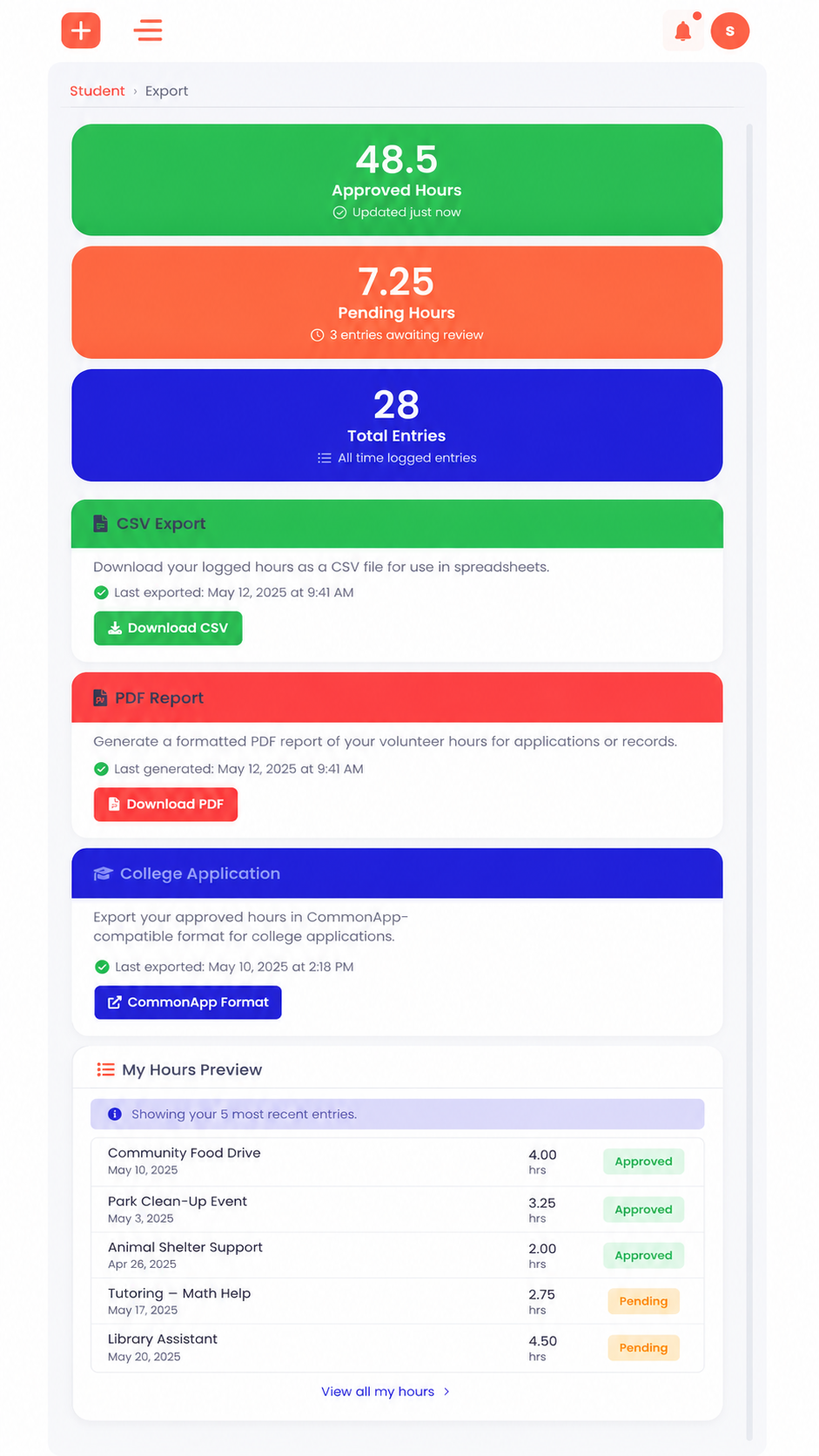
Students see their complete hour history with filters for status, agency, date, and event. A progress dashboard shows total approved hours and progress toward graduation requirements by category.
- Progress dashboard with category-level breakdowns
- CSV, PDF, and CommonApp-ready export formats
- Verified hours travel with the student — permanently
- District staff can bulk-export all student data at any time
District oversight and leaderboards
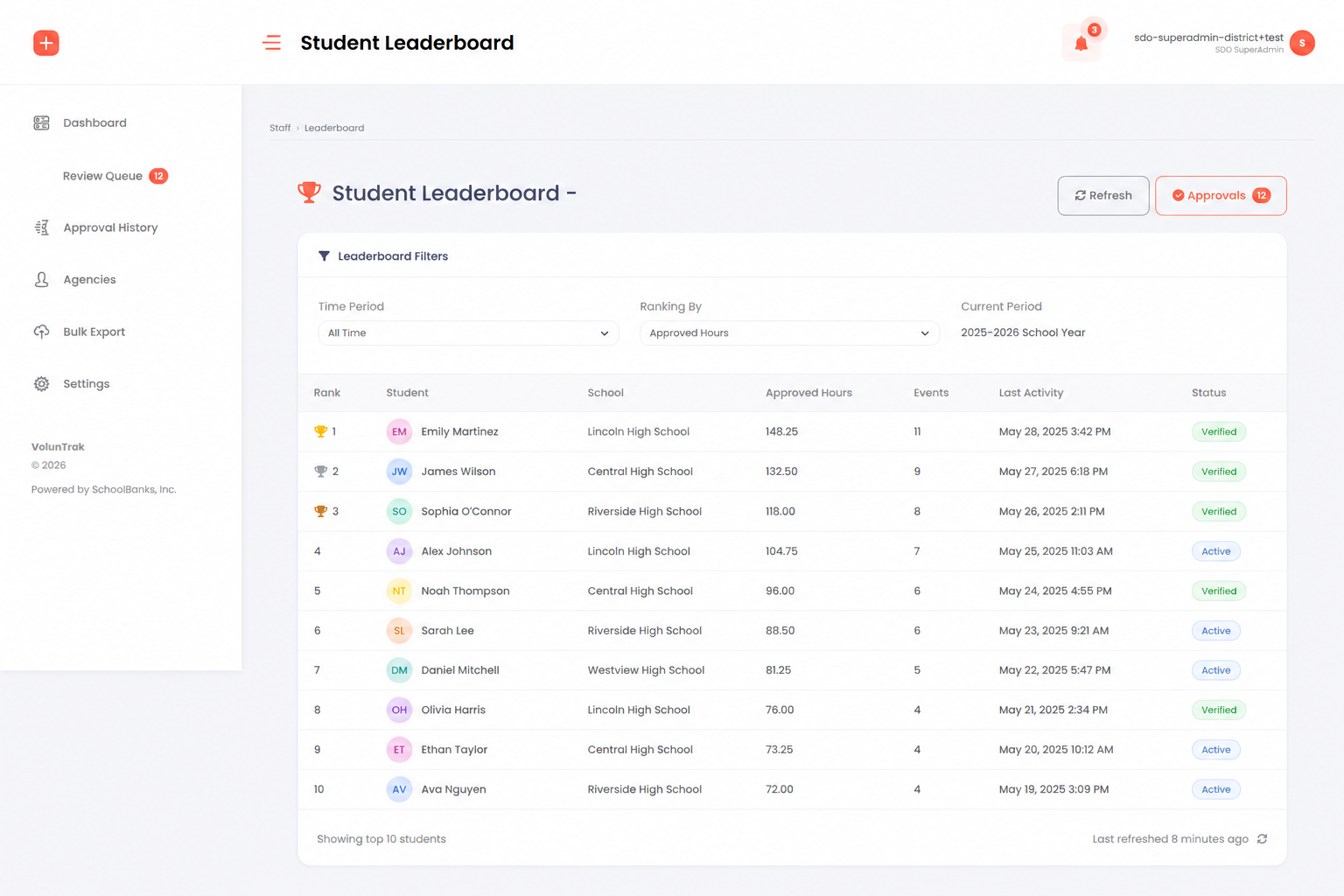
District staff work from a live approvals queue, verify partner agencies, manage access requests, and view configurable leaderboards showing top students and agencies by approved hours.
- Real-time operational view across all campuses
- Configurable leaderboards (week, month, quarter, all-time)
- Agency verification and onboarding workflow
- Full audit log of every system action
No one falls behind waiting for an email
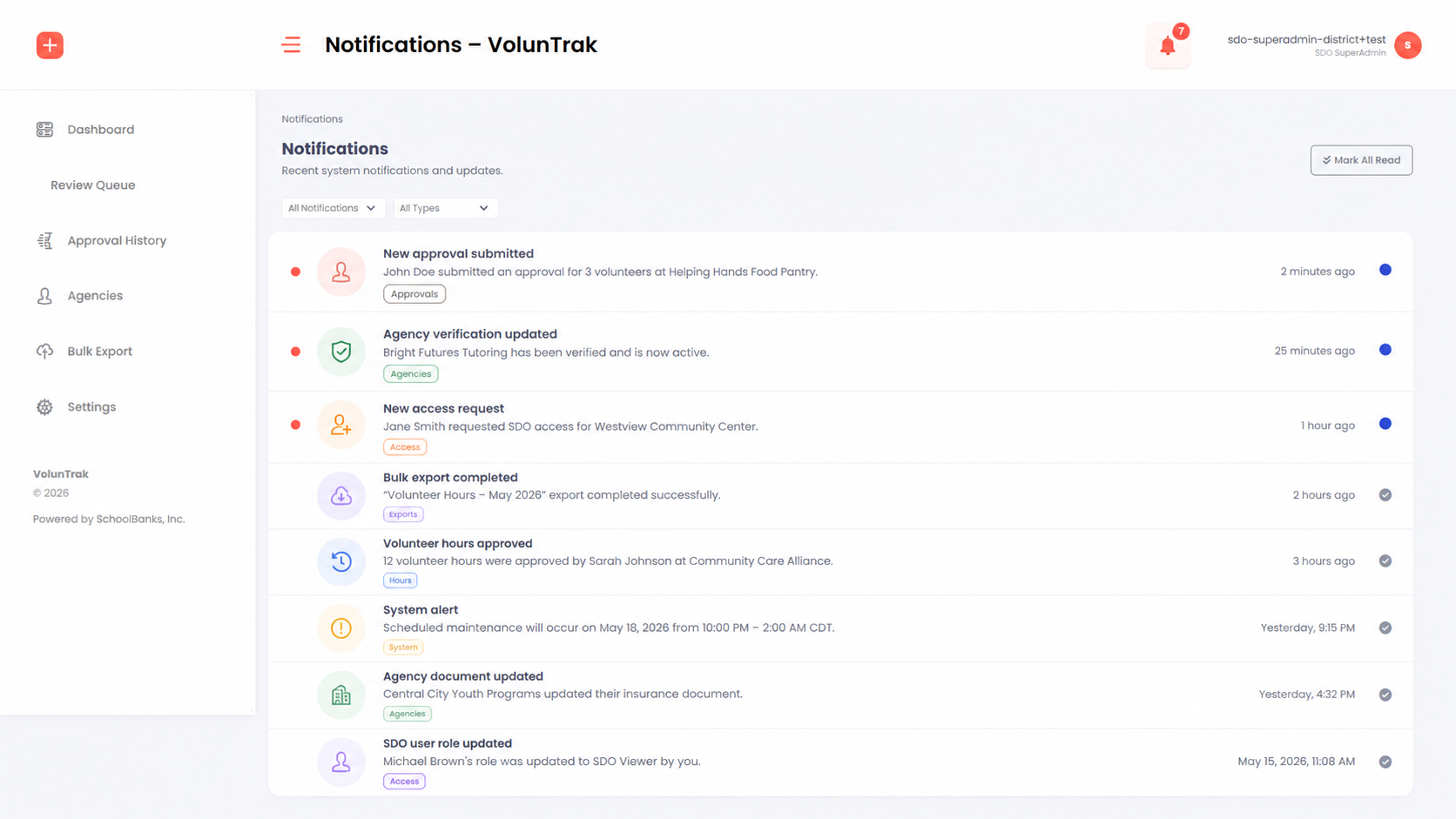
All users receive in-app notifications when hours are submitted, approved, denied, or flagged. Notifications link directly to the relevant record for one-click action.
- In-app notification center for all user roles
- Deep links to relevant records from every notification
- Mark individual or all notifications as read
- Email delivery confirmed in production — verify status before publishing